THIS IS WHERE YOU SAVE HOURS OF EDITING
Highlight reels have never been easier to create, and we’ll show you how. No more scrubbing through videos with hard-to-use tools. Simply select your highlights and let AI turn you into an editing pro in just seconds.
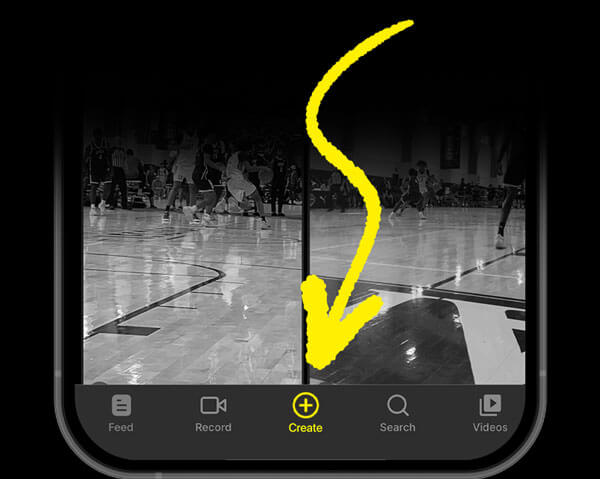
NOW IT’S TIME TO TURN YOUR HIGHLIGHTS INTO HEAT
To Create a Reel, tap the “Create” button in the bottom navigation bar (Center Button).
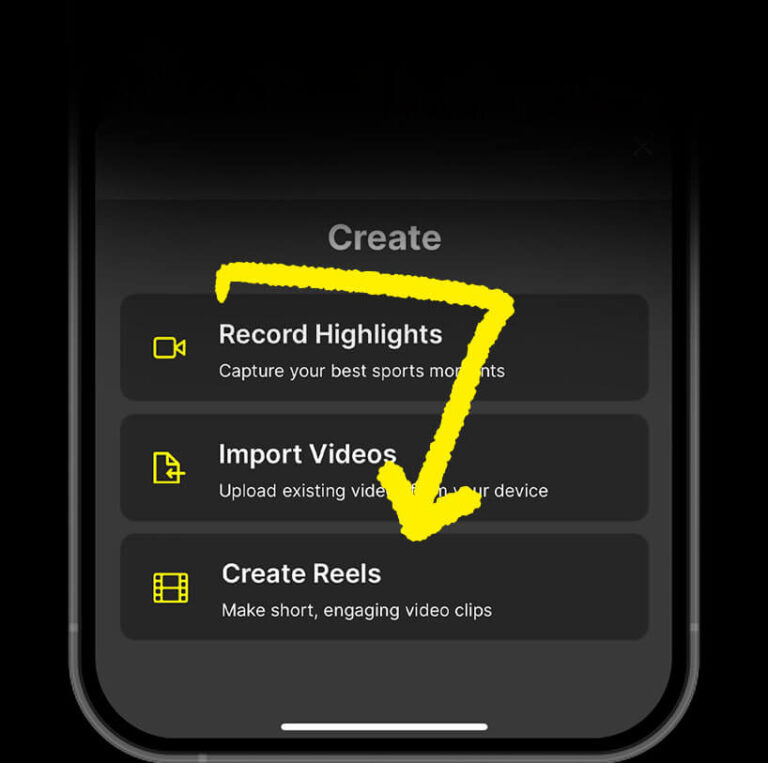
TAP “CREATE REELS” TO START SELECTING YOUR HIGHLIGHTS
Press the “Create Reels” button at the bottom to open the Reels Editor.
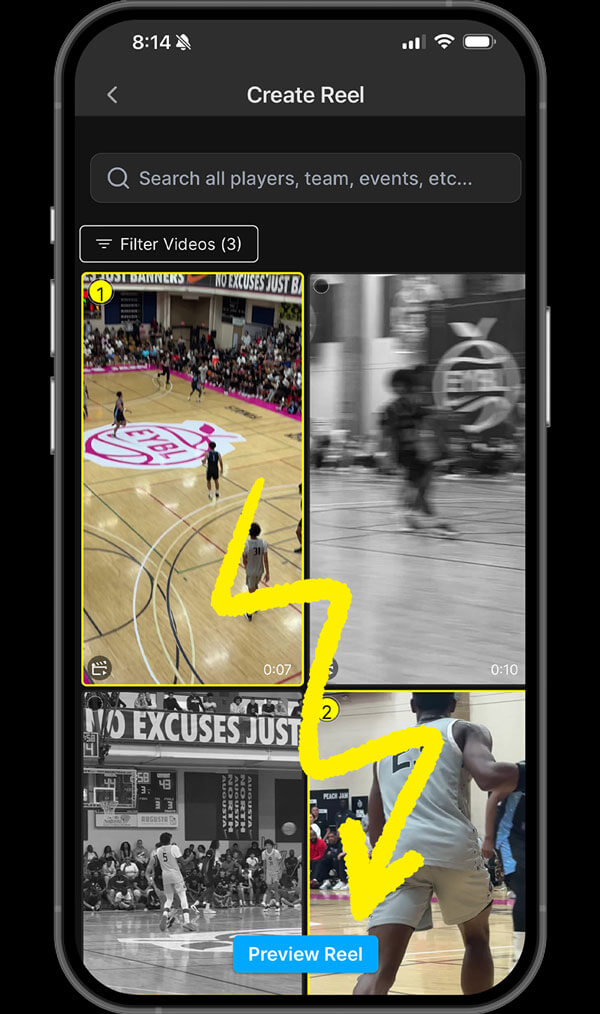
SELECT THE HIGHLIGHTS YOU WANT TO FEATURE
You’ve flagged the moments — now it’s time to build your reel.
Just tap “Create Reel”, select your favorite highlights, and hit “Preview Reel”. In seconds, Athlete.AI stitches together a cinematic recap that’s ready to share.
FINAL TOUCHES BEFORE WE BRING THE HEAT
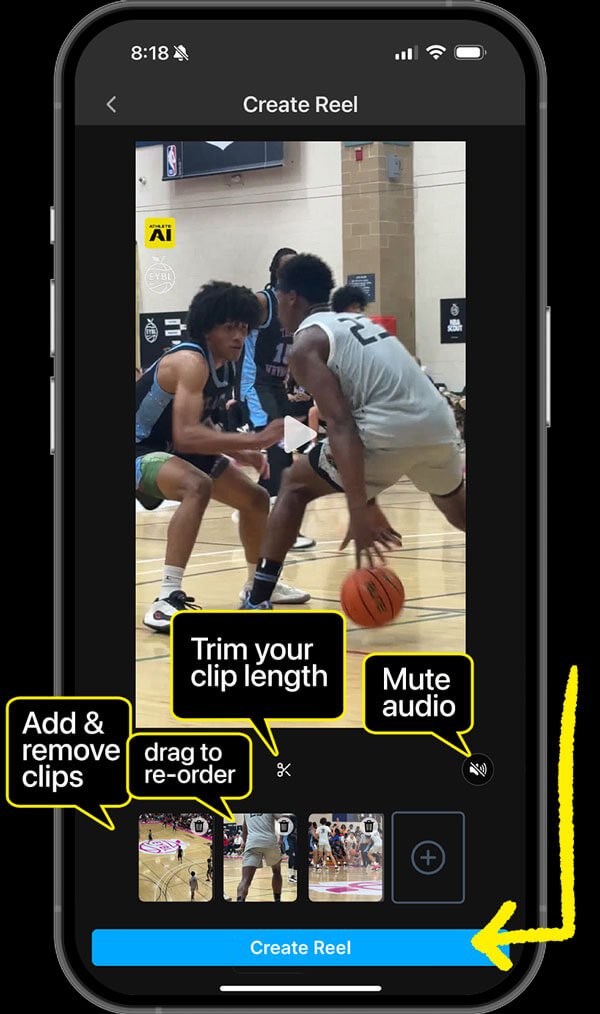
Review and trim your clips, add or remove highlights — this is your moment to fine-tune the reel.
When you’re ready, hit “Create Reel” and let the power of AI handle the editing. Your best moments, ready to share in seconds.
SIT BACK WHILE YOUR REEL IS CREATED IN SECONDS
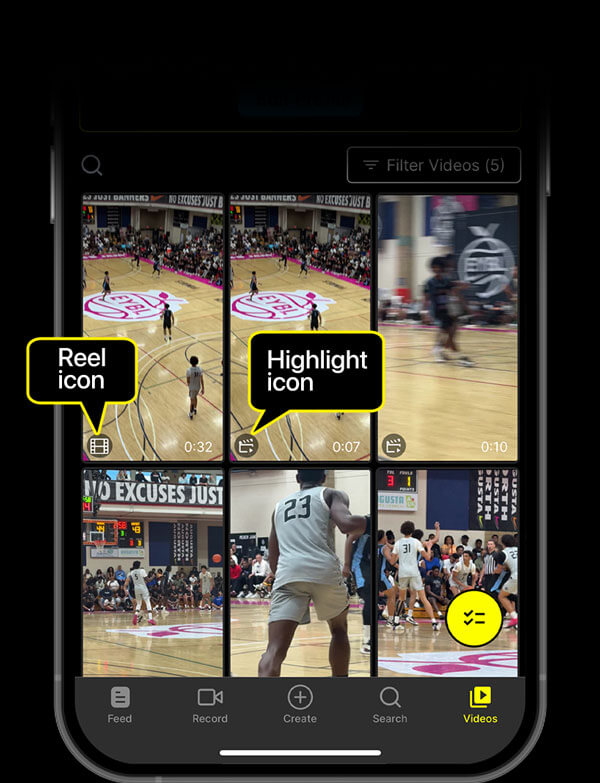
Your new Reel will be the first video in your “Videos” feed.
You can tell it’s a reel by the Film Icon in the bottom left corner of the thumbnail.
SHARING & DOWNLOADING YOUR REEL IS SIMPLE
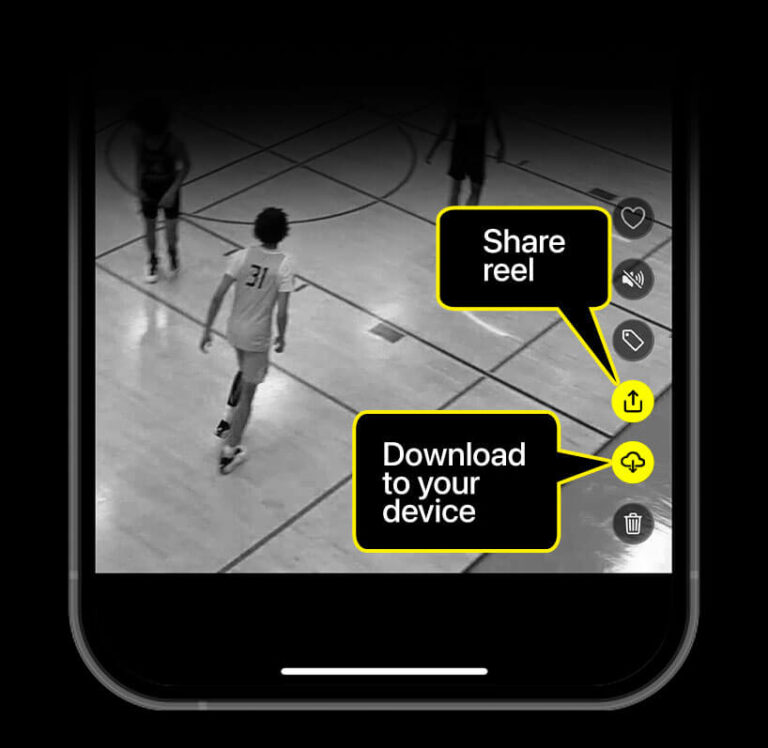
Tap the “Share” icon (second from the bottom on the right side of your video) to instantly send your clip to teammates, family, recruiters — or straight to social.
SHARE WITH THE WORLD
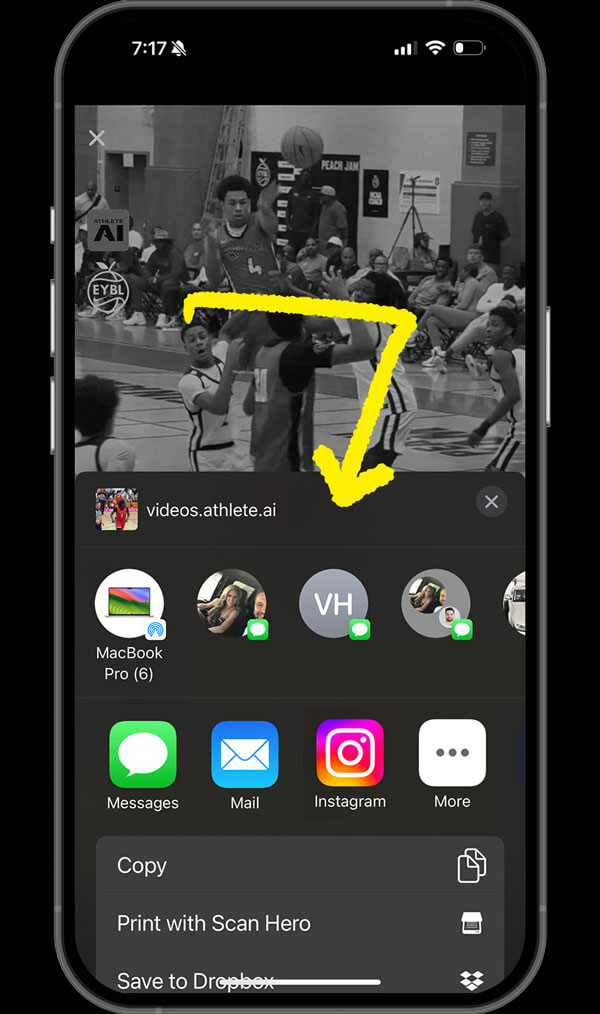
Athlete.AI OFFERS SO MANY WAYS TO SHARE YOUR REEL. Send it via text, airdrop it to a friend, post it on social, or drop it in the team group chat. Athlete.AI gives you native sharing options so your highlights go wherever they need to go — instantly.
EVERY PLAY TELLS A STORY, AND EVERY ATHLETE DESERVES TO HAVE THEIR STORY TOLD.
Open the app, hit record, and start flagging the moments that matter most. Your athlete’s story is waiting to be told — let’s make it unforgettable.